
Enjoy a full years subscription of Healthy Revelations and discover life-changing health secrets you won't find anywhere else.
- $240 Yearly Value

- How To Lose Weight Fast
- Healthy Eating
- Stress Relief
- Disease Prevention
- Doctor Recommendations
- Seasonal Health Tips
- And More...
General Health Articles
Beat the Winter Blah: January Fitness Challenge
This 31-day challenge is a great way to beat the winter blues and stay motivated during the long, cold January.

Day 1: 25 squats
Day 2: 10 burpees
Day 3: 30-second plank
Day 4: 10 push-ups
Day 5: 1-mile walk
Day 6: 25 walking lunges
Day 7: 30-second bridge
Day 8: 20 donkey kicks
Day 9: 50 high knees
Day 10: 2-mile walk
Day 11: 15 burpees
Day 12: 15 push-ups
Day 13: 150 jumping jacks
Day 14: 45-second plank
Day 15: 50 jump squats
Day 16: 30 jump lunges
Day 17: 45-second bridge
Day 18: 30 donkey kicks
Day 19: 20 push-ups
Day 20: 3-mile walk
Day 21: 60-second plank
Day 22: 20 single leg bridges
Day 23: 150 skiers
Day 24: 40 walking lunges
Day 25: 50 squats
Day 26: 20 burpees
Day 27: 60-second bridge
Day 28: 100 high knees
Day 29: 25 push-ups
Day 30: 75-second plank
Day 31: REST
Fitness for All: 10,000 Steps a Day: Where did it come from?
Whether you are an avid fitness guru or just your “Average Joe” you have no doubt at some point in your life heard that the key to being healthy is getting in your “10,000 steps” daily.

But have you ever wondered why 10,000 steps? And is it working? Or is it just causing us unnecessary stress?
Here is what the experts say…
Back in 1965, when the Summer Olympics was held in Tokyo, Japan, a local professor was working on coming up with the best way to fight obesity and heart disease. He calculated that walking 10,000 steps a day – or the equivalent of 5 miles – would translate into a 20% increase in calories burned for the average person.
The professor, Yoshiro Hatano, then came up with a pedometer-like device called the Manpo-kei, to encourage people to get up and moving during the Olympics when fitness was on everyone’s mind.
The popularity of the pedometer and taking 10,000 steps continued in Japan and has since spread to the U.S. and other countries, becoming the standard that World Health Organization (WHO), the American Heart Association (AHA) and the Centers for Disease Control (CDC) still follow today.
While 10,000 steps a day might be an achievable goal for some, experts note that everyone’s fitness ability is different and their steps per day should be adjusted accordingly.
One way to figure out the number of steps that would work for you is to track how many steps you normally take in any given day, then set an achievable goal based on your baseline steps. If you are a person who typically gets in 5,000 steps a day, then shoot for 7,500. Already reaching 10,000 a day? Why not try for 12,500? Even though this theory has been around for decades, there is no need to stress yourself out about reaching this daily goal. Just take it one step at a time.
Arthritis 101: Stress Management for Rheumatoid Sufferers
Rheumatoid arthritis is a debilitating disease for many people. While stress can make the condition much worse for some people, rheumatoid arthritis can also create lots of stress for you as well.
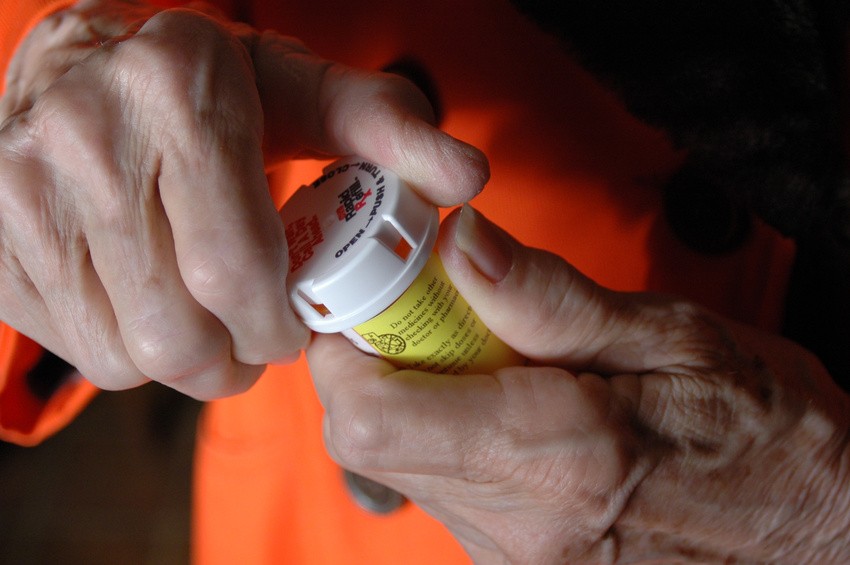
Stress can cause the release of chemicals in your body that will trigger inflammation and pain, therefore making the symptoms of rheumatoid arthritis increased. To de-stress and help alleviate the pain and inflammation caused by rheumatoid arthritis, here are some ways to cut some stress out of your life:
- Exercise
- Breathe deeply
- Talk out the things that are bothering you
- Get organized
- Embrace the outdoors
- Enjoy life
- Don’t sweat the small stuff
Healthy Living Snore-free Night’s Sleep!
Studies show that 30 to 40 percent of the general population snores… which means there are an awful lot of people out there not getting a good night’s sleep. Whether you snore, or your partner, there are some easy ways to alleviate snoring and catch some zzzz’s before you know it.

Tongue exercises – believe it or not there are exercises that you can do with your tongue that will help “train” your tongue where to stay in your mouth while you are sleeping to prevent snoring. One good tongue exercise to practice is making the “t-t-t-t-t” sound– sort of like you are scolding someone. This strengthens the tip of the tongue. You can also let your tongue hang out relaxed, then tense your tongue by pointing it and holding this position for three seconds.
Buy a mouthpiece – one of the most effective anti-snoring techniques is using a “boil and bite” mouthpiece. These mouthpieces form to your upper and lower teeth and pull your lower jaw and the back of your tongue forward. This process allows your airway to be opened and you to breathe easier.
Nasal sprays – there are quite a few nasal sprays on the market that claim to help curb snoring, so it may have to be a trial and error process in finding one that works for you. Some studies say that eliminating yeast overgrowth in your nostrils may reduce inflammation and nasal congestion, but it also causes snoring.
Sleep with a tennis ball – say what? Hear us out on this one… because most people snore while sleeping on their back if you provide a barrier between your body and your back while you are sleeping you will be less likely to sleep on your back throughout the night… thereby reducing your snoring. Some people suggest putting a tennis ball in a pocket T-shirt then sleeping with the T-shirt on backwards. You can also put the tennis ball in a fanny pack and then wear that backwards. If you happen to turn onto your back during the night, the ball, whether it is in your shirt or in your fanny pack, will cause discomfort and you will roll onto your side.
Healthy Living: Five Ways Your Smart Phone Can Make You Healthier
It is 2026 and everyone has a smart phone nowadays. There are so many apps and programs that you can now download to your phone to help you reach your fitness and health goals.
While this seems like an easy thing to do – just download an app – there is much more involved in getting the most out of your smart phone to become healthier.

Here are five ways that your smart phone can make you healthier.
- Set up healthy appointments on your phone. Use the remind or alarm function on your phone to help you set healthy reminders – like take your medication, get to spin class, go to bed early and take the stairs and not the elevator on your lunch break.
- Use your timer. We have learned since we were little that we should brush our teeth for 2 minutes, but do you? Use your timer to achieve these types of goals. You can use your timer to figure out how long tasks take so that you can also better prioritize your time, causing less stress.
- Track your progress. Sure, you downloaded that fitness tracker on your phone, but are you using it? Commit to a particular app and actually use it. Basic features include tracking your steps, counting your calories, and helping you to get a handle on your blood pressure.
- Eat Healthy. There are quite a few apps that you can download that can help you to be a better label reader and track your food intake.
- Motivate yourself. Customize your alarms to give you that gentle nudge that you need to motivate yourself. A “Get to the gym if you want to fit in that dress” message alarm is more motivating than a beeping alarm.
Enjoy a full years subscription of Healthy Revelations and discover life-changing health secrets you won't find anywhere else.
- $240 Yearly Value
- How To Lose Weight Fast
- Healthy Eating
- Stress Relief
- Disease Prevention
- Doctor Recommendations
- Seasonal Health Tips
- And More...